One app, total control.
Manage your plans, your data and your eSIM from your phone, wherever you land.




Yes. The Caribbean plan covers Aruba and 24 other islands and destinations, including Curaçao, and your phone switches networks by itself as you move between them. Bonaire is not covered by any KnowRoaming plan, and Aruba is not on the Global plan. Details in does a region plan cover every country in it?
In Aruba your plan connects to Setar on 4G LTE, which handles maps, messaging, video calls, and streaming; there is no 5G on the island. Your phone joins the network automatically once the plan is switched on. If it hasn't connected a minute after landing, work through the no-signal checklist.
At the entrance and on the main track, mostly; in the interior and the caves, not reliably, on any network. Download offline maps before you drive in.
Yes. The plan starts counting when you switch it on and connect on the island, so a one-day plan covers a port day in Oranjestad. It won't work at sea; turn it on as you disembark and off again when you sail.
A fixed plan costs less overall; an unlimited plan (a daily high-speed allowance, then slower) works out to a lower daily rate the longer you stay. The price depends on how much data you want and how many days you're staying; every current option and price is in the plan selector at the top of this page.
In the app: open My plans, choose your Aruba plan, and tap Top up. The extra data lands on the same eSIM within a few seconds, with nothing new to add or scan. Full steps are in topping up data without reinstalling the eSIM.
It thins. Setar's 4G LTE holds across the island, from the airport to the California Lighthouse, but on the boats the signal thins on any network. Download what you need before you leave the pier.
An unlimited plan, for most remote workers. Aruba's program lets visitors work from the island for up to 90 days, the Palm Beach strip has strong 4G, and the plan's hotspot covers a laptop when the café or apartment Wi-Fi drops.
Manage your plans, your data and your eSIM from your phone, wherever you land.
Set it up before you fly. It's live the moment you land, nothing to check, nothing to remember.
Already with us? Get the app on the App Store or Google Play.
Aruba is a rental-car island with a resort strip, a cruise port, and a national park that takes up a fifth of the land, and the phone does most of the navigating. The best eSIM for Aruba is the one that's working when you walk out of Queen Beatrix International, so the car pickup, the dinner booking, and the snorkel trip are sorted before you reach the hotel.
Below: how an Aruba plan works, how to set it up before you fly, what to expect on the beaches, in Arikok, and on the water, and which plan fits if Curaçao is on the same trip.
Island trips rarely stay on one island, and most travel eSIMs make you start over at every stop. KnowRoaming doesn't. You add the KnowRoaming eSIM, called KR.One, to your phone once, then add a plan per trip: Aruba this time, the whole Caribbean plan when you're hopping between islands, somewhere else entirely next winter. Nothing to scan again, nothing to delete when you get home.
The plan's days start when you turn it on and connect in Aruba, not at checkout. Buy it weeks ahead, add it at home, and a delayed flight costs you nothing. The full rule is in what plan validity means and when it starts.
Choose a fixed plan for a set amount of data at the lowest overall price, or an unlimited plan when you'd rather not count. Unlimited plans give you a daily high-speed allowance, then a slower speed until the allowance resets the next day. If a fixed plan runs low, top up in the app and the extra data lands on the same eSIM. Hotspot works on every plan, fixed or unlimited; a laptop or a travel partner's phone shares the same eSIM data.
See it in two minutes: Meet KR.One, iPhone setup with KR.One, or Samsung setup with KR.One.
Do this at home on Wi-Fi. It takes about a minute.
Prefer a QR code? The checkout page and your confirmation email both carry one; scan it from your phone's settings. Every tap is in how to add your plan, start to finish, or watch the iPhone QR walkthrough or the Samsung QR walkthrough. Still no signal after landing? Work through the no-signal checklist.
Queen Beatrix International is minutes from Oranjestad. Taxis run on fixed fares by zone, most visitors rent a car, and the Arubus line links Oranjestad with the Palm Beach and Eagle Beach hotels. The cruise terminal is in the center of Oranjestad, and the town fills on ship days.
The florin is the currency, but US dollars are accepted everywhere and prices are often quoted in both. Cards work in nearly every shop and restaurant. Aruba sits outside the hurricane belt and has a drier, more desert-like climate than most of the Caribbean, which is why the calendar is so full.
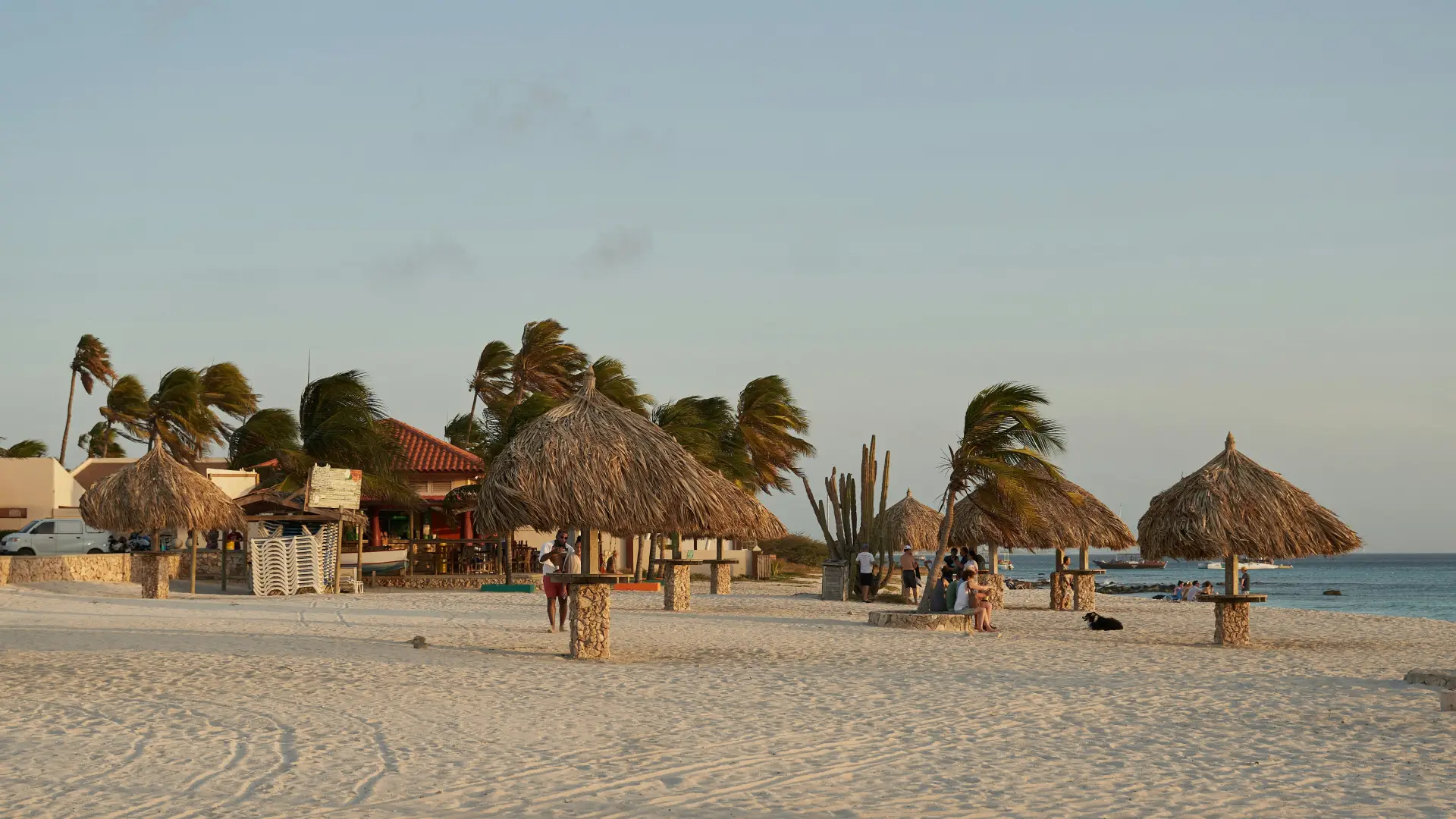
Palm Beach is the high-rise strip, Eagle Beach the low-rise one, and Baby Beach in the south is the calm-water swim. The California Lighthouse at the north tip and the Natural Pool on the east coast are the usual rental-car targets.
Arikok National Park covers about a fifth of the island: a rough 4x4 road, caves, and the Natural Pool, with entry paid at the gate and a signal that fades in the interior. Snorkel and sail trips out to the Antilla wreck and the reefs lose signal a mile offshore. Save maps and bookings before either.
Aruba, Bonaire, and Curaçao are the ABC islands, and many trips take in two of them. Curaçao is on the Caribbean plan, 25 islands and destinations on one plan, so an Aruba and Curaçao trip fits it; the phone switches networks by itself when you land. Bonaire is not a KnowRoaming destination, so plan for that leg without data. Aruba is not on the Global plan either, so a traveler carrying the Global plan needs an Aruba plan or the Caribbean plan here. An Aruba-only plan stops at the island's edge. Read do I need a new plan for every country? for the detail.
Aruba runs a program for visitors who want to work remotely from the island for up to 90 days, and the combination of reliable power, drinkable tap water, and a resort strip with strong 4G makes it one of the easier Caribbean islands to work from. Cafés along the Palm Beach strip and in Oranjestad have Wi-Fi; the plan's hotspot covers the days it doesn't hold.
For a stay of weeks, an unlimited plan, with a daily high-speed allowance, covers video calls and tethering; for a beach week, a fixed plan is the cheaper buy. Both are on the plan selector at the top of this page.
Aruba's Carnival runs through January and February, ending with the Grand Parade in Oranjestad and the burning of King Momo on the eve of Lent; the parade routes, the lighting parade, and the party schedule are published week by week and change with the weather. Hotels fill, and the bus lines run late.
Cruise days are the other rhythm. Two or three ships in port mean a full Oranjestad by ten in the morning and quiet beaches at the north end; the ship schedule is public, and a glance at it decides which day to spend in town.
Your plan connects to Setar on 4G LTE. There is no 5G on Aruba. Coverage holds across the island from the airport to the lighthouse, including both beaches and the town. Your phone picks the network automatically once the plan is on; there is nothing to choose by hand.
Inside Arikok and on the boats, the signal thins, on any network. Download what you need before you drive into the park or leave the pier.
Most current iPhone, Samsung Galaxy, and Google Pixel phones support eSIM. Check yours before you add a plan; it takes a few seconds. On iPhone, go to Settings, General, About and look for an EID or Available SIM. On Android, go to Settings, Network & Internet, SIMs and look for an option to add an eSIM. On Samsung, dial *#06# and look for an EID.
Your phone also needs to be carrier-unlocked. If you're not sure, the same check shows you where to look.
Adding an Aruba plan doesn't touch your regular SIM. Calls and texts on your usual number keep working exactly as before. The new plan handles data while you're there, and most phones run both at once without you doing anything else. Bank codes and two-factor texts still arrive on your home number, as long as that line stays switched on.
One plan. No roaming surprises. Live the moment you land.
On an island the alternatives are thin: a home-carrier roaming pass that treats every island as a new country, a local SIM from a shop that closes early, or resort Wi-Fi that stops at the pool. An Aruba plan added at home beats all three: one price agreed before you fly, live the second you land, and a Caribbean plan if the trip takes in more than one island.
Real travelers rate KnowRoaming 4.5 out of 5 on Reviews.io. More than a decade in travel connectivity, more than 200 destinations, and support that doesn't clock off: WhatsApp and live chat, any time, any day.
Get the app on the App Store or Google Play.
Meilleur prix, aucun problème de connexion, SAV efficace !
Anonyme
Easy and straightforward from minute 1.
Xavier
Loved using KnowRoaming. Highly reccomend. Will use on all my travels. Especially love the new kr one
Anonymous