

一个应用程序, 完全掌控。
无论您身在何处,都可以通过手机管理您的套餐、数据流量和eSIM。




Yes, both. The Europe plan covers Gibraltar and 48 other countries, Spain included, and your phone switches networks by itself as you cross the runway. A Spain-only plan stops at the border. See our support article on whether a region plan covers every country in it.
In Gibraltar your plan connects to Gibtelecom on 4G LTE, which handles maps, messaging, video calls, and streaming; 5G is not part of this plan. Your phone joins the network automatically once your eSIM is turned on. If it hasn't connected a minute after you cross, work through the no-signal checklist.
Either the Europe plan, which covers both sides, or a Gibraltar plan added to the same eSIM as your Spain plan. The Gibraltar plan starts counting only when you connect on the Gibraltar side, so a day trip uses one day.
On the Rock, yes, across the nature reserve. Deep in the siege tunnels, it drops, on any network, and comes back at the exit.
A fixed plan costs less overall; an unlimited plan (a daily high-speed allowance, then slower) works out to a lower daily rate the longer you stay. The price depends on how much data you want and how many days you're staying; every current option and price is in the plan selector at the top of this page.
In the app: open My eSIMs, choose your Gibraltar plan, and tap Top up. The extra data lands on the same eSIM within a few seconds, with nothing new to add or scan. Full steps are in Top up your plan: add data or days without a new eSIM.
Weeks ahead. Your plan doesn't start until you connect at your destination, so a plan bought a month before departure is still complete when you land. Start your plan within 90 days of buying it. See when your plan starts and how the days are counted.
It thins. Coverage holds across the whole territory, including the Upper Rock and Europa Point. On the boats in the strait, the signal fades a mile out, and inside the deeper tunnels it drops.
无论您身在何处,都可以通过手机管理您的套餐、数据流量和eSIM。
Install your eSIM before you fly. It's live the moment you land, nothing to check, nothing to remember.
Already with us? Get the app on the App Store or Google Play.
Gibraltar is a British territory the size of a small town, entered on foot across an airport runway from Spain, with its own currency, its own phone network, and a border where a lot of Spanish plans go quiet. The best eSIM for Gibraltar is one that's ready before you cross at La Línea, so the cable car queue and the lunch on Main Street are ready while the barrier is still down for a landing.
Below: how a Gibraltar plan works, how to install your eSIM before you travel, why the Europe plan is the neat answer here, and what to expect on the Rock, in town, and on the water.
Install it once. Add a plan for each trip. Top up when you need more data. Your home SIM stays in your phone, with your number on it.
Most travel eSIMs make you start over for every country, which in Europe means a new QR code every few days. KnowRoaming doesn't. You install the KnowRoaming eSIM on your phone once. KR.One, the technology behind it, lets that one eSIM hold plans for every destination. From then on, you add a plan for each trip: Gibraltar now, Spain in the spring, the whole continent on a Europe plan when the itinerary gets ambitious. Nothing to scan again, nothing to delete when you get home.
Your plan starts when you connect in Gibraltar, not when you buy. Buy it weeks ahead, install your eSIM at home, and a delayed flight costs you nothing. The full rule is in when your plan starts and how the days are counted.
Choose a fixed plan for a set amount of data at the lowest overall price, or an unlimited plan when you'd rather not count. Unlimited plans give you a daily high-speed allowance, then a slower speed until the allowance resets the next day. If a fixed plan runs low, top up in the app and the extra data lands on the same eSIM. Hotspot works on every plan, fixed or unlimited; a laptop or a travel partner's phone shares the same eSIM data.
See it in two minutes: Meet KR.One, Install on iPhone, or Install on Samsung.
Do this at home on Wi-Fi. It takes about a minute.
Prefer a QR code? The checkout page and your confirmation email both carry one; scan it from your phone's settings. Every tap is in how to add your plan, start to finish, or watch the iPhone QR walkthrough or the Samsung QR walkthrough. Still no signal after landing? Work through the no-signal checklist.
Most visitors come from Spain: Málaga airport is an hour and a half by road, and the border at La Línea is crossed on foot or by car, with a passport check and, several times a day, a wait while an aircraft uses the runway that the road crosses. Gibraltar's own airport has flights from the UK. Inside, the territory is walkable, with buses for the far end and the cable car for the Rock.
The Gibraltar pound is pegged to sterling and sterling is accepted; euros are taken in most shops at a poor rate, and cards work nearly everywhere. Main Street's duty-free shops, the Trafalgar Cemetery, and the Moorish castle are the town; the Rock is the day.
The cable car to the top of the Rock, the Barbary macaques at the Apes' Den, St Michael's Cave, the Great Siege Tunnels, and the Skywalk are the Upper Rock Nature Reserve, with a single ticket bought online or at the gate and a signal that holds across the whole reserve. Keep bags closed near the macaques and the phone in a pocket; they know what a snack looks like.
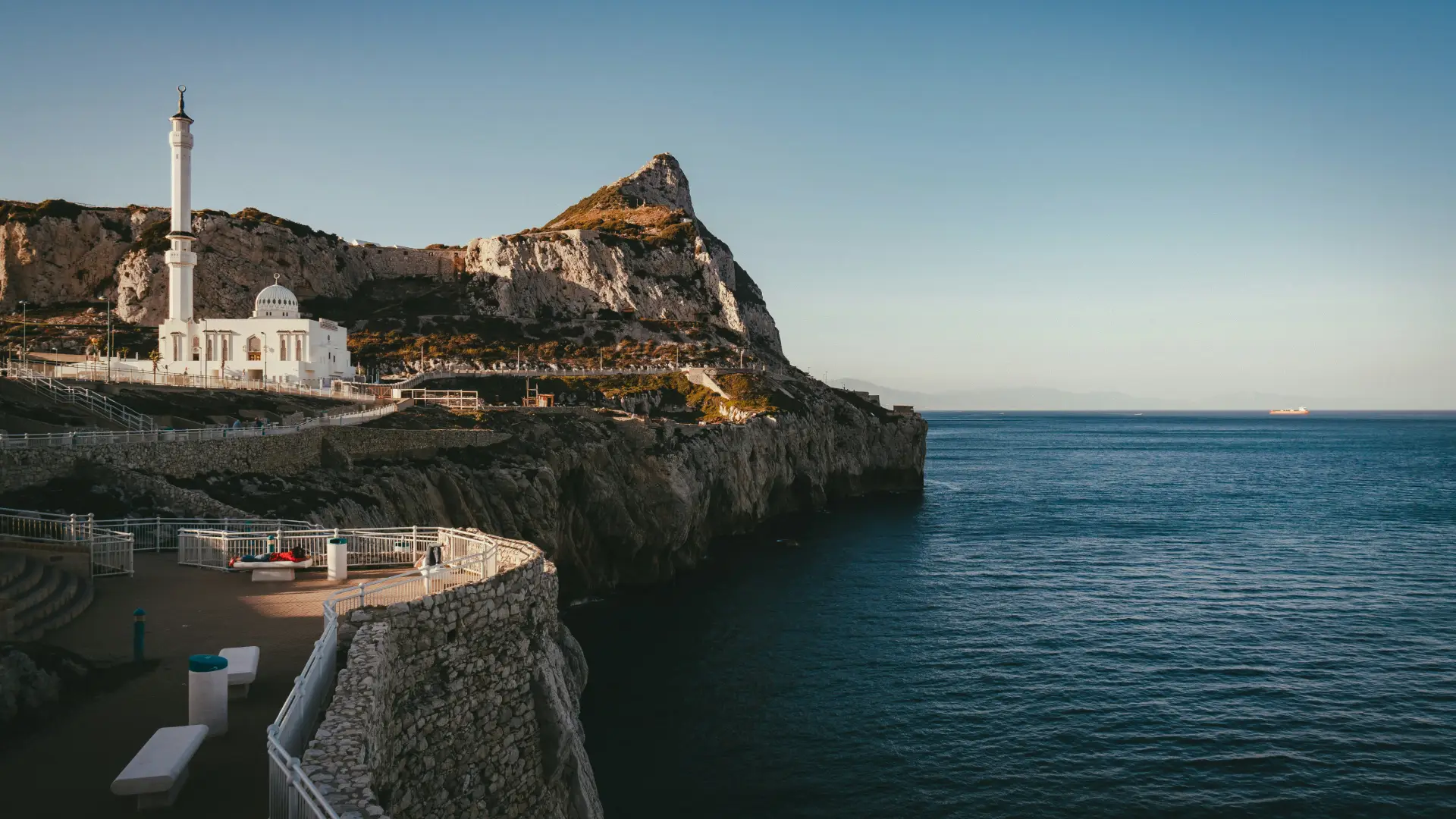
Europa Point at the southern tip looks across the strait to Morocco, 14 km away; the dolphin-watching boats leave from the marinas and lose signal a mile out, and the ferry to Tangier runs from Tarifa on the Spanish side rather than from Gibraltar itself. Morocco is a KnowRoaming destination, on the Africa and MENA plans, if the trip continues across.
Gibraltar is on the Europe plan, 49 countries on one plan that also covers Spain, so a Costa del Sol holiday with a Gibraltar day fits it without any change in the app: the phone switches from a Spanish network to Gibtelecom as you cross the runway and back again on the way home. A Spain-only plan stops at the border, and a Gibraltar-only plan starts there; for a day trip from Spain, the Europe plan or a Gibraltar plan added to the same eSIM are the two choices. Read whether a region plan covers every country in it for the detail.
The border can back up for an hour at the morning and evening commute and on cruise-ship days, and the runway closures add to it; the live status is online, which is the first reason to have data before you reach La Línea. National Day on 10 September fills Main Street in red and white, and the Gibraltar Music Festival in summer is the other event that books out the few hotels.
Your plan connects to Gibtelecom on 4G LTE. There is no 5G on this plan. Coverage holds across the whole territory, including the Upper Rock and Europa Point. Your phone picks the network automatically once the plan is on; there is nothing to choose by hand.
On the boats in the strait, the signal fades a mile out, and inside the deeper tunnels it drops. Save what you need in town.
Most current iPhone, Samsung Galaxy, and Google Pixel phones support eSIM. Check yours before you add a plan; it takes a few seconds. On iPhone, go to Settings > General > About and look for an EID or Available SIM. On Android, go to Settings > Network & Internet > SIMs and look for an option to add an eSIM. On Samsung, dial *#06# and look for an EID.
Your phone also needs to be carrier-unlocked. If you're not sure, the same check shows you where to look.
Adding a Gibraltar plan doesn't touch your regular SIM. Calls and texts on your usual number keep working exactly as before. The new plan handles data while you're there, and most phones run both at once without you doing anything else. Bank codes and two-factor texts still arrive on your home number, as long as that line stays switched on.
One plan. No roaming surprises. Live the moment you land.
For a European trip the real competition isn't another eSIM. It's your home carrier's roaming add-on, priced for a weekend and throttled by midweek; the SIM counter in arrivals, after the flight, with a queue; and café Wi-Fi, in a country where even the bus ticket is in an app. A Gibraltar plan added at home beats all three: one price agreed before you fly, live the second you land, and a Europe plan waiting if the trip grows.
Real travelers rate KnowRoaming 4.5 out of 5 on Reviews.io. More than a decade in travel connectivity, more than 200 destinations, and support that doesn't clock off: WhatsApp and live chat, any time, any day.
Get the app on the App Store or Google Play.
Very easy to use and great coverage
Saleh
Jeddah, SA
I enjoyed using your service it really comes in handy
Fhatuwani
Excellent option when traveling, I fo suggest that yiu add the option to make a normal call to.
Anonymous
London, GB
