

一个应用程序, 完全掌控。
无论您身在何处,都可以通过手机管理您的套餐、数据流量和eSIM。




No. Mauritania is sold as its own plan and isn't on the Africa plan or the Global plan. Senegal, Morocco, and Algeria next door are on the Africa plan; Mali is a separate plan. Read whether a region plan covers every country in it for the details.
In Mauritania your plan connects to Mattel on 4G LTE, which handles maps, messaging, and calls over apps in the towns; 5G is not part of this plan. Your phone joins the network automatically once your eSIM is turned on. If it hasn't connected a minute after landing, work through the no-signal checklist.
At Nouadhibou, Choum, and Atar, some; on the train and in the desert towns of Chinguetti and Ouadane, little to none, on any network. Save the route and the guide's number before you leave the coast.
Up to Rosso or Diama, on a Mauritania plan. Senegal is on the Africa plan; add it or a Senegal plan to the same eSIM before you cross.
Mauritania plans come with a set amount of data, and you can top up in the app if it runs low. The price depends on how much data you want and how many days you're staying; every current option and price is in the plan selector at the top of this page.
In the app: open My eSIMs, choose your Mauritania plan, and tap Top up. The extra data lands on the same eSIM within a few seconds, with nothing new to add or scan. Full steps are in Top up your plan: add data or days without a new eSIM.
Weeks ahead. Your plan doesn't start until you connect at your destination, so a plan bought a month before departure is still complete when you land. Start your plan within 90 days of buying it. See when your plan starts and how the days are counted.
Often not. Coverage is concentrated in Nouakchott, Nouadhibou, Atar, Rosso, and Kiffa and along the main road between the capital and the north. Beyond the towns, expect gaps or no signal on any network for long stretches.
无论您身在何处,都可以通过手机管理您的套餐、数据流量和eSIM。
Install your eSIM before you fly. It's live the moment you land, nothing to check, nothing to remember.
Already with us? Get the app on the App Store or Google Play.
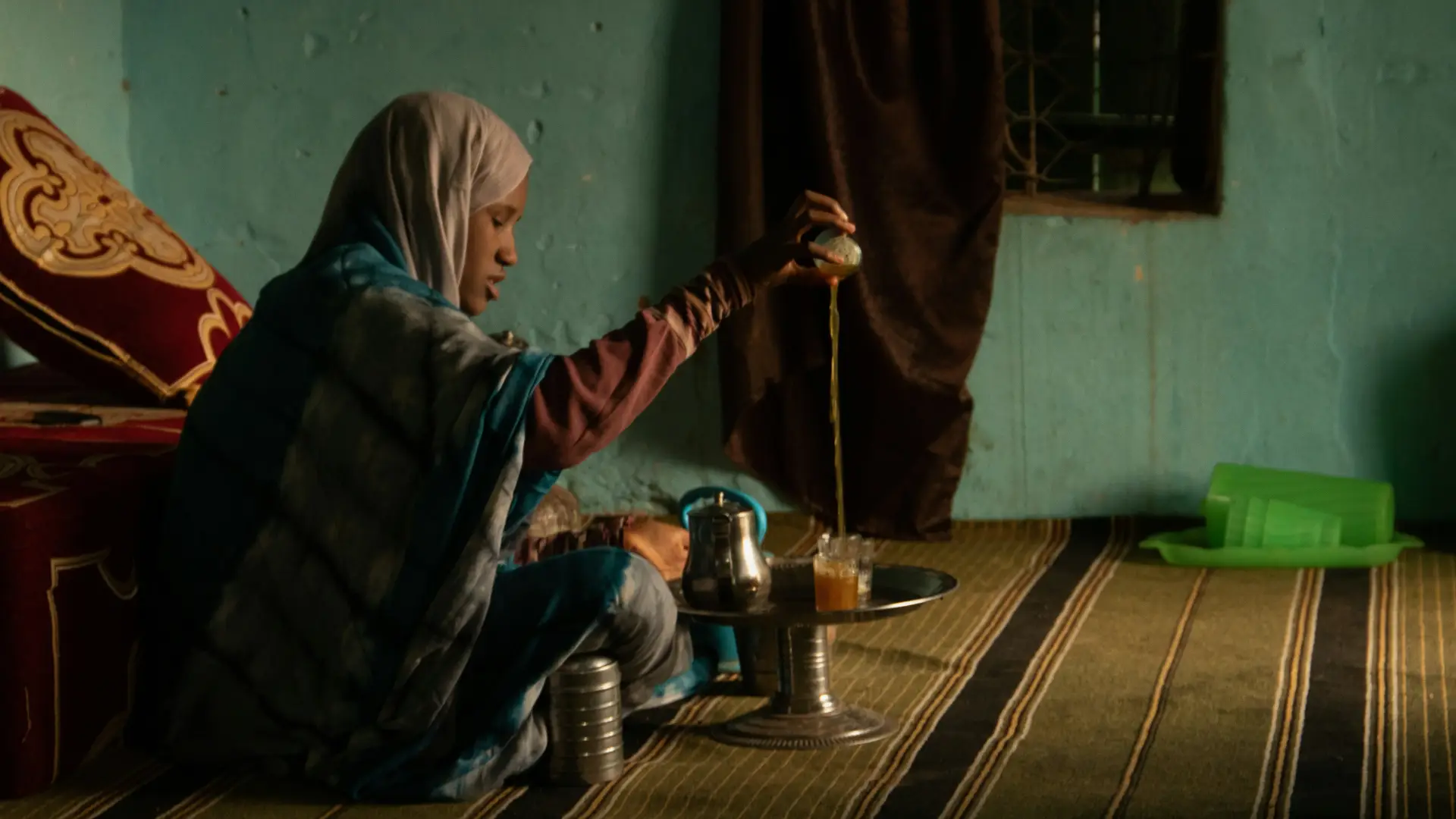
Mauritania is a desert capital on the Atlantic, the longest train in the world, and the Sahara's caravan towns, and Nouakchott's arrivals hall is the place to have a phone that already works. The best eSIM for Mauritania is a Mauritania plan, added at home, on Wi-Fi, so the driver is found and the visa-on-arrival form is on the phone before the queue moves.
Below: how a Mauritania plan works, how to install your eSIM before you fly, what to expect in Nouakchott, the coast, and the Adrar, and which plan fits for the rest of the route.
Install it once. Add a plan for each trip. Top up when you need more data. Your home SIM stays in your phone, with your number on it.
African itineraries change, and most travel eSIMs make you start over every time they do. KnowRoaming doesn't. You install the KnowRoaming eSIM on your phone once. KR.One, the technology behind it, lets that one eSIM hold plans for every destination. Then you add a plan for each trip: Mauritania now, a regional plan for a later route through the countries it covers, and whatever comes next after that. Nothing to scan again, nothing to delete when you get home.
Your plan starts when you connect in Mauritania, not when you buy. Buy it weeks ahead, install your eSIM at home, and a delayed flight costs you nothing. The full rule is in when your plan starts and how the days are counted.
Mauritania plans come with a set amount of data, so choose the size that fits the trip. If it runs low, top up in the app and the extra data lands on the same eSIM. Hotspot works on every plan; a laptop or a travel partner's phone shares the same eSIM data.
See it in two minutes: Meet KR.One, Install on iPhone, or Install on Samsung.
Do this at home on Wi-Fi. It takes about a minute.
Prefer a QR code? The checkout page and your confirmation email both carry one; scan it from your phone's settings. Every tap is in how to add your plan, start to finish, or watch the iPhone QR walkthrough or the Samsung QR walkthrough. Still no signal after landing? Work through the no-signal checklist.
Nouakchott's airport is about half an hour from the center, and hotel and organization drivers meet the flights; a visa on arrival covers many passports. The ouguiya is the currency, cash is the rule outside a few hotels, and the ATMs are unreliable for foreign cards, so bring euros to change. The fish market at the Port de Pêche at sunset and the Grand Mosque are the capital's day; getting around is by taxi and arranged car.
The iron-ore train from Nouadhibou to Zouérat, ridden on top of the ore for 16 hours, the caravan towns of Chinguetti and Ouadane in the Adrar, and the Banc d'Arguin's birds are the country beyond, by long road with a driver and offline on any network beyond the towns; Mattel's 4G covers the capital, Nouadhibou, and Atar. Organizations posting staff issue their own guidance, which takes priority over anything on this page.
In Nouakchott, the Port de Pêche, about ten minutes' drive from the center, is where hundreds of painted pirogues land the day's catch on the beach each afternoon; the Marché Capitale is the big central market, and the camel market and the National Museum fill out a day. North along the Atlantic, Banc d'Arguin National Park, a UNESCO World Heritage Site, shelters huge bird colonies and the Imraguen fishing villages, and crossing it takes a 4x4 hired in Nouakchott or Nouadhibou. Nouadhibou, near the Western Sahara border, is the end of the iron ore line from Zouérat, which carries a passenger car.
Mauritania is sold as its own plan and is not on the Africa plan, which covers Senegal, Morocco, and Algeria around it, or on the Global plan. The road south to Dakar crosses at Rosso or Diama into Senegal, on the Africa plan; the road north runs through Western Sahara to Morocco. Mali, to the east, is a separate plan. Read crossing into a border country your plan doesn't include before a route that leaves the plan's coverage.
Electricity in Nouakchott is mostly reliable and generator-backed at the hotels; in the interior it's the generator or nothing, so a power bank and a car charger keep the phone useful. The heat from April to October is severe, and mobile service can be slowed at short notice; keep offline copies of what matters.
For a posting measured in weeks or months, choose the largest plan and expect to top up: daily video calls home and the hotspot for a laptop use data quickly when the office or the guesthouse connection fails. Top up or add a plan from the app while you have data or Wi-Fi, so before a trip out of town rather than during one.
Your plan connects to Mattel on 4G LTE. There is no 5G on this plan. Coverage is concentrated in Nouakchott, Nouadhibou, Atar, Rosso, and Kiffa and along the main road between the capital and the north. Your phone picks the network automatically once the plan is on; there is nothing to choose by hand.
Beyond the towns, expect gaps or no signal on any network for long stretches. Plan those legs as offline.
Most current iPhone, Samsung Galaxy, and Google Pixel phones support eSIM. Check yours before you add a plan; it takes a few seconds. On iPhone, go to Settings > General > About and look for an EID or Available SIM. On Android, go to Settings > Network & Internet > SIMs and look for an option to add an eSIM. On Samsung, dial *#06# and look for an EID.
Your phone also needs to be carrier-unlocked. If you're not sure, the same check shows you where to look.
Adding a Mauritania plan doesn't touch your regular SIM. Calls and texts on your usual number keep working exactly as before. The new plan handles data while you're there, and most phones run both at once without you doing anything else. Bank codes and two-factor texts still arrive on your home number, as long as that line stays switched on.
One plan. No roaming surprises. Live the moment you land.
For Africa the alternatives are a home-carrier roaming rate that is often not offered at all, a local SIM in each country with registration paperwork at each border, or lodge Wi-Fi that works in the bar and nowhere else. A Mauritania plan added at home beats all three: one price agreed before you fly, live the second you land, and the same eSIM, with a plan for wherever the next trip goes.
Real travelers rate KnowRoaming 4.5 out of 5 on Reviews.io. More than a decade in travel connectivity, more than 200 destinations, and support that doesn't clock off: WhatsApp and live chat, any time, any day.
Get the app on the App Store or Google Play.
Very easy to use and great coverage
Saleh
Jeddah, SA
I enjoyed using your service it really comes in handy
Fhatuwani
Excellent option when traveling, I fo suggest that yiu add the option to make a normal call to.
Anonymous
London, GB
