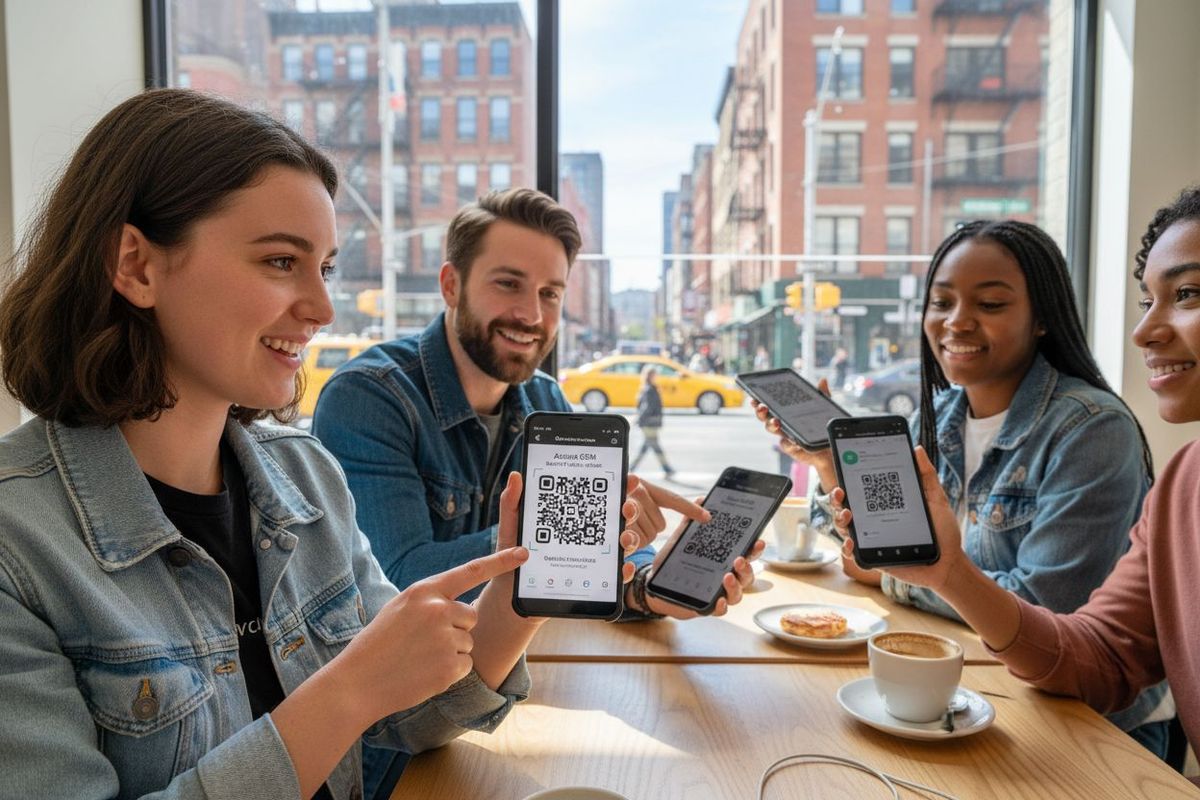
7 essential tips for using Android eSIM effectively
Android eSIMs are changing the game for travelers, letting you connect to local networks anywhere in the world without ever touching a physical SIM card. Think about this. Some Android phones can now hold multiple carrier profiles at once, so you can switch plans instantly with just a tap. Most people expect setting up travel data to be a hassle, but eSIM technology turns it into a five-minute breeze right from your device.
Quick summary
Check eSIM Compatibility
Ensure your Android phone supports eSIM by reviewing device specs or contacting your carrier.
Activate with Ease
Setting up an eSIM on your Android device requires only a few taps, thanks to digital activation.
Opt for Cost-Effective Plans
Choose eSIM plans that align with your data usage and travel frequency.
Prioritize Security
Use two-factor authentication and VPNs to safeguard your information while using eSIM technology.
Troubleshoot Effectively
Restart your device and check settings if you encounter connectivity issues to maintain service.
1: What is an Android eSIM and how does it work?
Technology continues to transform how we stay connected while traveling, and Android eSIMs are at the forefront of this digital revolution. An eSIM (embedded SIM) is a digital SIM card built directly into your Android smartphone, eliminating the need for a physical plastic SIM card. Unlike traditional SIM cards that require manual insertion and swapping, an eSIM allows you to switch mobile networks and data plans with just a few taps on your device.
Here’s how an Android eSIM fundamentally works:
- Digital Activation: Instead of inserting a physical chip, you download and activate a mobile plan directly through your smartphone
- Network Flexibility: You can store multiple carrier profiles simultaneously and switch between them without changing hardware
- Instant Connectivity: Activate international data plans within minutes, making travel preparations smoother
With an Android eSIM, you gain unprecedented flexibility in mobile connectivity. Travelers can now seamlessly transition between different mobile networks without carrying multiple SIM cards or experiencing complicated setup processes. The technology allows you to select and activate data plans from various carriers quickly, giving you control over your mobile experience like never before.
Android smartphones with eSIM technology represent a significant leap forward in mobile communication. Learn more about our global eSIM networks to understand how this technology can transform your international travel experience. Whether you’re a digital nomad, frequent traveler, or someone who values convenience, Android eSIMs offer a streamlined solution for staying connected across different countries and mobile networks.
The core advantage of an Android eSIM is its simplicity. No more hunting for local SIM cards, dealing with physical chips, or worrying about losing tiny SIM cards. Your mobile connectivity is now managed entirely through your smartphone’s digital interface, providing a more secure and convenient alternative to traditional SIM technology.
2: Checking if your Android device supports eSIM
Before diving into the world of Android eSIMs, it’s crucial to confirm whether your smartphone actually supports this technology. Not all Android devices are eSIM compatible, so understanding your device’s capabilities is the first step toward seamless mobile connectivity.
To determine if your Android device supports eSIM, you’ll want to follow these key verification methods:
- Check your device specifications in the settings menu under “Cellular” or “Mobile Network” sections
- Visit the manufacturer’s official website and review your specific model’s technical details
- Contact your mobile carrier to confirm eSIM compatibility with your current device
Modern Android smartphones from major manufacturers like Google Pixel, Samsung Galaxy, and select Motorola models typically include eSIM functionality. However, the technology is not universal across all Android devices. Newer flagship models released in the past 2-3 years are more likely to support embedded SIM technology.
If you’re uncertain about your device’s capabilities, our support team can help you verify compatibility quickly and efficiently. They can guide you through the specific steps for your exact smartphone model and provide personalized recommendations.
Remember that eSIM support isn’t just about hardware. Your mobile carrier must also offer eSIM activation services. This means you’ll need to check both your device specifications and your carrier’s current technological offerings. Some carriers are faster at adopting new technologies than others, so a direct conversation with your provider can clarify your options.
For travelers and tech enthusiasts, having an eSIM-compatible Android device opens up a world of flexible mobile connectivity. It means you can switch networks, manage multiple plans, and stay connected globally with unprecedented ease. Take the time to confirm your device’s capabilities and unlock the full potential of modern mobile technology.
3: Benefits of using eSIM for international travel
International travel demands flexible and reliable mobile connectivity, and Android eSIMs provide an ingenious solution that transforms how travelers stay connected across global networks. Unlike traditional roaming options that often come with sky-high charges and complicated setup processes, eSIM technology offers a streamlined approach to mobile data management.
The key benefits of using an eSIM during international travel include:
- Instant Activation: Download and activate mobile plans within minutes without visiting a physical store
- Cost Efficiency: Avoid expensive roaming charges by selecting local data plans at transparent, competitive rates
- Multiple Network Profiles: Store and switch between different carrier plans without changing physical SIM cards
Travelers gain unprecedented flexibility with eSIM technology. You can purchase and activate international data plans directly from your smartphone, eliminating the need to hunt for local SIM cards or worry about compatibility issues. This digital approach means you’re always just a few taps away from seamless connectivity.
Explore our international travel packages to see how eSIMs can dramatically simplify your global mobile experience. The ability to manage your mobile connectivity with such ease means less time worrying about technical details and more time enjoying your travel adventures.
Beyond convenience, eSIMs provide enhanced security. Since the SIM is embedded directly in your device, there’s no physical card that can be lost or stolen. Your mobile plan remains safe and accessible, giving you peace of mind during international trips. The digital nature of eSIM technology also means faster network switching and more reliable connections across different countries and cellular networks.
For modern travelers who value simplicity, cost-effectiveness, and reliable connectivity, Android eSIMs represent a significant leap forward in mobile communication technology.
4: How to set up your eSIM on an Android device
Setting up an eSIM on your Android device is a straightforward process that can be completed in just a few minutes. The convenience of digital SIM technology means you no longer need to visit a physical store or handle tiny plastic cards. Modern Android smartphones make eSIM activation incredibly simple for users of all technical skill levels.
Here are the fundamental steps to set up your Android eSIM:
- Open your smartphone’s “Settings” menu and navigate to “Cellular” or “Mobile Network” options
- Select “Add Cellular Plan” or “Add eSIM” and follow the on-screen prompts
- Scan the QR code provided by your mobile carrier or enter the activation details manually
Carrier compatibility is crucial during the eSIM setup process. Not all mobile providers support eSIM technology, so you’ll want to confirm your specific carrier’s capabilities beforehand. Some carriers require you to download their dedicated mobile app to complete the eSIM activation, while others offer web-based activation methods.
If you encounter any setup challenges, our support team is ready to help. Technical hiccups can happen, and having professional guidance can make the process smoother.
For international travelers, the real magic of eSIM setup occurs when you’re preparing for a trip. You can purchase and activate international data plans directly from your device, often within minutes of landing in a new country. This means no more hunting for local SIM cards or dealing with complicated roaming agreements.
Remember that different Android device manufacturers might have slightly varied eSIM setup procedures. Samsung, Google Pixel, and Motorola devices each have their unique interface, but the core steps remain consistent. Always refer to your specific device’s user manual or manufacturer website for the most accurate setup instructions tailored to your exact smartphone model.
5: Choosing the right eSIM plan for your needs
Selecting the perfect eSIM plan requires careful consideration of your specific travel requirements and mobile data consumption patterns. Not all plans are created equal, and understanding your unique needs can save you significant money and prevent unexpected connectivity challenges during your travels.
Key factors to consider when choosing an eSIM plan include:
- Data Volume: Assess how much data you typically use for navigation, messaging, streaming, and work-related tasks
- Geographic Coverage: Confirm the plan covers all countries you intend to visit
- Duration of Stay: Select plans that match your precise travel timeline
International travelers face multiple plan options, ranging from short-term data packages to flexible global plans. Some providers offer fixed data amounts, while others provide unlimited options with varying speeds and restrictions. Your choice should balance cost-effectiveness with reliable connectivity.
Explore our comprehensive international travel packages to find a plan tailored precisely to your travel style. Whether you’re a digital nomad requiring constant high-speed connectivity or a casual traveler needing occasional data access, there’s a solution designed for you.
Budget-conscious travelers should pay close attention to per-country data rates and potential overage charges. Some eSIM plans offer more competitive pricing for specific regions, so compare multiple options before committing. Additionally, consider plans that allow data rollover or provide flexible top-up options.
Technology and travel are evolving, and so are mobile data plans. Modern eSIM technology empowers travelers to switch between plans easily, giving you unprecedented control over your mobile connectivity. This means you can adapt your plan in real-time based on your changing travel needs, without being locked into rigid, expensive contracts.
6: Troubleshooting common eSIM issues on Android
Even with advanced technology, Android eSIM users might occasionally encounter connectivity challenges. Understanding how to diagnose and resolve these issues can save you significant frustration and ensure uninterrupted mobile service during your travels.
Common eSIM troubleshooting steps include:
- Restart your Android device to reset network connections
- Check your cellular data settings and confirm eSIM is set as the primary network
- Verify that your carrier profile is correctly added and activated
Some frequent eSIM connectivity problems can stem from incorrect network settings or outdated device software. Always ensure your Android smartphone is running the latest operating system version, as manufacturers regularly release updates that improve eSIM compatibility and performance.
If you need immediate technical support, our team is ready to assist. Professional guidance can quickly resolve complex connectivity issues that might seem overwhelming.
When experiencing network connection problems, signal strength and carrier compatibility play crucial roles. Different carriers have varying levels of eSIM support, so confirming your specific provider’s technological capabilities is essential. Some Android devices might require manual network selection or specific APN (Access Point Name) configurations to establish a stable connection.
Data connection drops can often be resolved by performing a simple network settings reset. This involves removing and re-adding your eSIM plan, which can refresh your device’s network configuration and eliminate temporary connectivity glitches. Always back up important data before making significant network changes to prevent potential information loss.
Remember that patience and systematic troubleshooting are key when resolving eSIM issues. Most connectivity challenges can be solved through careful diagnosis and step-by-step problem-solving approaches.
7: Staying secure while using Android eSIM
As mobile technology evolves, security becomes increasingly critical when utilizing eSIM technology on your Android device. Digital connectivity brings tremendous convenience, but it also introduces potential vulnerabilities that travelers must proactively address to protect their personal information and digital identity.
Key security strategies for Android eSIM users include:
- Enable two-factor authentication for all mobile accounts
- Use a virtual private network (VPN) when connecting to public Wi-Fi networks
- Regularly update your Android device’s operating system and security patches
Embedded SIM technology offers inherent security advantages compared to traditional physical SIM cards. Since the eSIM is integrated directly into your device’s hardware, it cannot be physically removed or cloned, providing an additional layer of protection against potential theft or unauthorized access.
Our support team can provide personalized security recommendations tailored to your specific Android device and travel needs. Professional guidance can help you implement robust digital protection strategies.
Beyond technical safeguards, personal awareness is your strongest defense. Be cautious when downloading mobile apps, avoid clicking suspicious links, and maintain strong, unique passwords for all digital accounts. The convenience of eSIM technology should never compromise your personal cybersecurity.
International travelers face unique connectivity challenges, making security even more paramount. When using eSIM in different countries, be mindful of local cybersecurity risks and potential network vulnerabilities. Some regions may have different digital privacy standards, so staying informed and vigilant is crucial.
Remember that digital security is an ongoing process. Regularly reviewing your mobile settings, monitoring your accounts, and staying updated on the latest cybersecurity trends will help you maintain a secure and worry-free mobile experience while leveraging the incredible flexibility of Android eSIM technology.
Seamless global connectivity awaits: Make your Android eSIM work smarter, not harder
Are you ready to leave behind the anxiety of roaming fees, slow hotel Wi-Fi, or fumbling with tiny SIM cards? Throughout this article, you discovered crucial tips on managing Android eSIMs, from activation and troubleshooting to choosing the right plan for your journey. Still, many travelers struggle with confusing setups, unpredictable costs, and poor coverage that interrupt business, leisure, and peace of mind. Now, you can empower your travels with a smarter solution.
Say goodbye to stressful travel connections. Let KnowRoaming simplify eSIMs for you with instant activation, transparent pricing, and worldwide data protection so you can focus on what matters most. Take your next trip with confidence by learning more or activating your plan in minutes. It is time to experience truly hassle-free international connectivity, start your journey today on KnowRoaming’s website.
अक्सर पूछे जाने वाले प्रश्न
How to use an eSIM while backpacking is surprisingly simple. First, ensure your phone is unlocked and eSIM-compatible. Then, download the provider's app (like KnowRoaming's). You can choose your plan and add the eSIM digitally through the app, often by scanning a QR code. Once added, just enable data roaming for your eSIM, and you're ready to go, no physical cards or airport kiosks needed.
Two quick ways: tap "Is my device compatible" on any plan selector on KnowRoaming.com, or check your phone's settings for an "Add eSIM" option. Most phones sold since 2019 support eSIM.
KnowRoaming supports most eSIM-compatible phones, including iPhone, Samsung, Google Pixel, Huawei, and more. You can check your device using the compatibility checker on each KnowRoaming eSIM product page.
To check if your phone is eSIM compatible you can use KnowRoaming’s real-time compatibility tool. Go to any eSIM page for an instant check by scanning a QR code or tapping the eSIM compatible button.
No swapping SIM cards, no kiosk queues at the airport, set it up once and it's ready every time after.
With KnowRoaming, setup takes less than five minutes. Using the automatic setup in the KnowRoaming app, you can download and add your eSIM in just a few taps. This makes it one of the fastest and most reliable ways to get connected before your trip.
An Android eSIM is a digital SIM card embedded inside your smartphone, allowing you to switch between mobile networks and data plans easily without the need for a physical SIM card. You can activate and manage your mobile plans through your device’s settings.
To check if your Android device supports eSIM, navigate to the settings menu under ‘Cellular’ or ‘Mobile Network’ and look for eSIM or cellular plan options. You can also visit the manufacturer’s website or contact your mobile carrier for confirmation.
eSIMs offer several benefits for international travel, including instant activation of mobile plans, cost-efficient local data options, and the ability to store multiple carrier profiles, allowing for seamless connectivity without the hassle of physical SIM cards.
To set up an eSIM on your Android device, open the ‘Settings’ menu, select ‘Cellular’ or ‘Mobile Network,’ then choose ‘Add Cellular Plan’ or ‘Add eSIM.’ Follow the prompts to scan a QR code or enter activation details provided by your mobile carrier.