

Satu aplikasi, kendali penuh.
Kelola paket, kuota data, dan eSIM Anda langsung dari ponsel, di mana pun Anda berada.




No. Greenland is sold as its own plan and isn't on the Europe plan or the Global plan; a Denmark plan stops at the airport. Iceland, the other gateway, is on the Europe plan. Read whether a region plan covers every country in it for the details.
In Greenland your plan connects to Tusass on 4G LTE, which handles maps, messaging, and video calls in the towns; 5G is not part of this plan. Your phone joins the network automatically once your eSIM is turned on. If it hasn't connected a minute after landing, work through the no-signal checklist.
In the towns, yes. On the water, among the icebergs, and on the ice cap, no, on any network. Book the boats in town and keep the phone warm; the cold drains it faster than the data does.
A Greenland plan; a Denmark plan and the Europe plan both stop at the airport. Add it to the same eSIM before you board; it starts counting when you connect in Greenland.
A fixed plan costs less overall; an unlimited plan (a daily high-speed allowance, then slower) works out to a lower daily rate the longer you stay. The price depends on how much data you want and how many days you're staying; every current option and price is in the plan selector at the top of this page.
In the app: open My eSIMs, choose your Greenland plan, and tap Top up. The extra data lands on the same eSIM within a few seconds, with nothing new to add or scan. Full steps are in Top up your plan: add data or days without a new eSIM.
Weeks ahead. Your plan doesn't start until you connect at your destination, so a plan bought a month before departure is still complete when you land. Start your plan within 90 days of buying it. See when your plan starts and how the days are counted.
No, on any network. Coverage holds in Nuuk, Ilulissat, Kangerlussuaq, Qaqortoq, Sisimiut, and every settlement's harbor. Between the towns, on the fjords, among the icebergs, and on the ice cap, expect no signal on any network.
Kelola paket, kuota data, dan eSIM Anda langsung dari ponsel, di mana pun Anda berada.
Install your eSIM before you fly. It's live the moment you land, nothing to check, nothing to remember.
Already with us? Get the app on the App Store or Google Play.
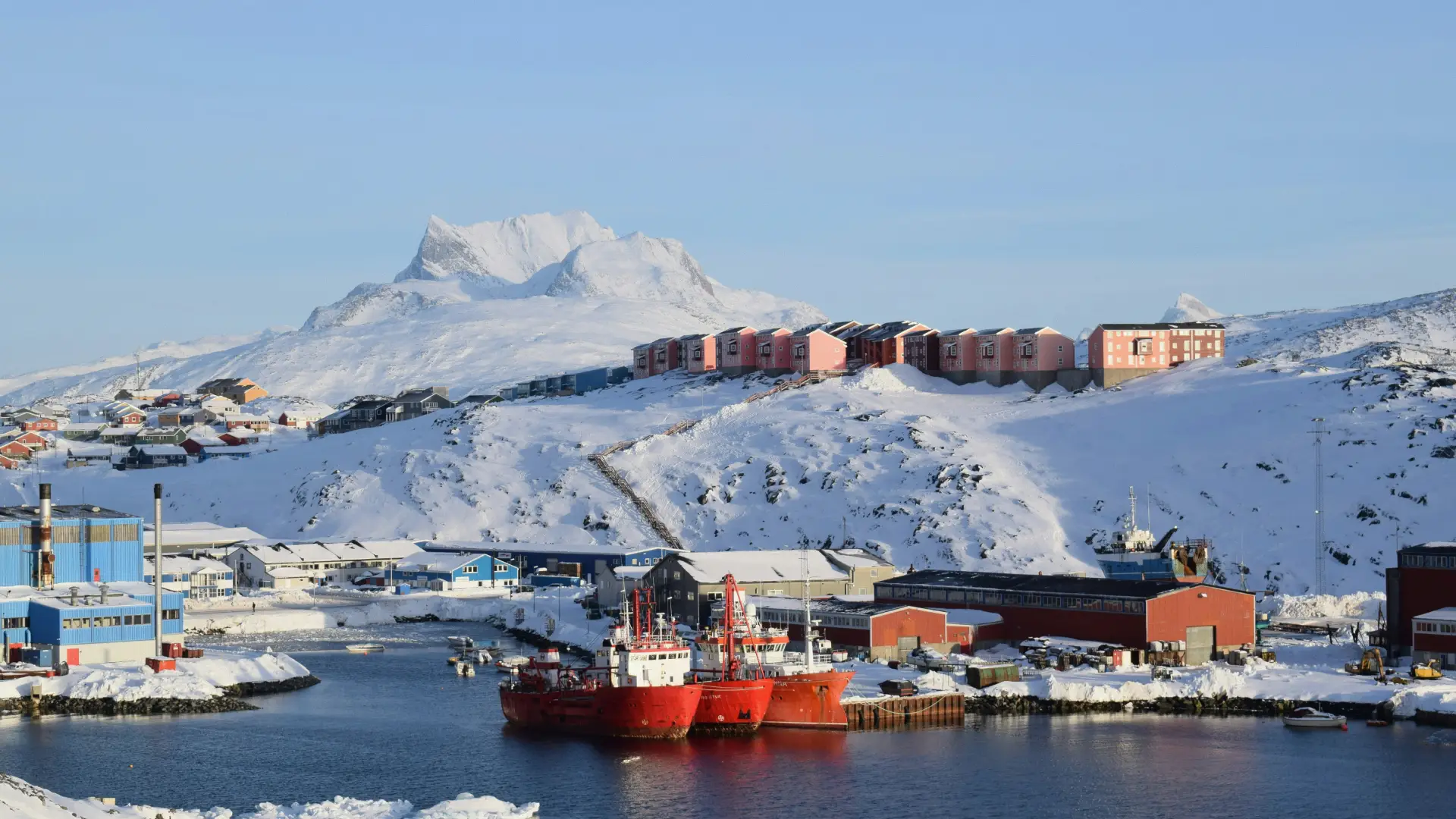
Greenland is a country with no roads between its towns, a new international airport at Nuuk, and icebergs that calve into a fjord you can hear from the hotel. A Denmark or Europe plan goes quiet as the plane lands. The best eSIM for Greenland is a Greenland plan, added at home, on Wi-Fi, so the boat trip and the helicopter connection are confirmed before the weather changes them.
Below: how a Greenland plan works, how to install your eSIM before you fly, why the Europe and Global plans don't cover it, and what to expect in Nuuk, at Ilulissat, and on the water and the ice.
Install it once. Add a plan for each trip. Top up when you need more data. Your home SIM stays in your phone, with your number on it.
Most travel eSIMs make you start over for every country, which in Europe means a new QR code every few days. KnowRoaming doesn't. You install the KnowRoaming eSIM on your phone once. KR.One, the technology behind it, lets that one eSIM hold plans for every destination. From then on, you add a plan for each trip: Greenland now, Iceland in the spring, a regional plan for a later route through the countries it covers. Nothing to scan again, nothing to delete when you get home.
Your plan starts when you connect in Greenland, not when you buy. Buy it weeks ahead, install your eSIM at home, and a delayed flight costs you nothing. The full rule is in when your plan starts and how the days are counted.
Choose a fixed plan for a set amount of data at the lowest overall price, or an unlimited plan when you'd rather not count. Unlimited plans give you a daily high-speed allowance, then a slower speed until the allowance resets the next day. If a fixed plan runs low, top up in the app and the extra data lands on the same eSIM. Hotspot works on every plan, fixed or unlimited; a laptop or a travel partner's phone shares the same eSIM data.
See it in two minutes: Meet KR.One, Install on iPhone, or Install on Samsung.
Do this at home on Wi-Fi. It takes about a minute.
Prefer a QR code? The checkout page and your confirmation email both carry one; scan it from your phone's settings. Every tap is in how to add your plan, start to finish, or watch the iPhone QR walkthrough or the Samsung QR walkthrough. Still no signal after landing? Work through the no-signal checklist.
Nuuk's new international airport takes direct flights from Copenhagen and, in season, North America; Ilulissat's follows; Kangerlussuaq is the older hub. There are no roads between towns, and every hop is by Air Greenland's planes and helicopters or by boat, booked in the airline's app and changed by the weather. The Danish krone is the currency, cards work everywhere, and cash is rare.
Greenland is a self-governing nation within the Danish kingdom with its own network, and it is not on the Europe plan or the Global plan; a Denmark plan or either regional plan stops at the airport. A Greenland plan is the one that works, added to the same eSIM as whatever covers the rest of the route; it takes about a minute in the app. Iceland, the other usual gateway, is on the Europe plan. Read crossing into a border country your plan doesn't include for how plans on one eSIM work together.
Ilulissat's icefjord, a UNESCO site, is the walk along the boardwalk and the boat trips among the icebergs, with the midnight-sun cruises in summer and the northern lights in the dark months; Tusass's 4G covers the town and fades among the icebergs and in the fjord. Book the boats in town while you have data.
Nuuk's National Museum, the colonial harbor, and the fjord's day trips are the capital; the south's Qaqortoq, the Norse ruins, and the hot springs at Uunartoq are the green Greenland; the east coast's Tasiilaq is the wild one. Every settlement has 4G at the harbor and nothing beyond it, and the boats and the ice are offline on every network.
The weather decides everything, and the airline's and the boat operators' apps are where the changes appear first; a day's delay is normal, and the plan's job is knowing about it. June to August is the season, with the midnight sun and the icebergs at their busiest; the winter brings the lights, the dog sleds, and cold that drains a phone in minutes outside a pocket.
Your plan connects to Tusass, Greenland's network, on 4G LTE. There is no 5G on this plan. Coverage holds in Nuuk, Ilulissat, Kangerlussuaq, Qaqortoq, Sisimiut, and every settlement's harbor. Your phone picks the network automatically once the plan is on; there is nothing to choose by hand.
Between the towns, on the fjords, among the icebergs, and on the ice cap, expect no signal on any network. Save what you need in town, and keep the phone warm.
Most current iPhone, Samsung Galaxy, and Google Pixel phones support eSIM. Check yours before you add a plan; it takes a few seconds. On iPhone, go to Settings > General > About and look for an EID or Available SIM. On Android, go to Settings > Network & Internet > SIMs and look for an option to add an eSIM. On Samsung, dial *#06# and look for an EID.
Your phone also needs to be carrier-unlocked. If you're not sure, the same check shows you where to look.
Adding a Greenland plan doesn't touch your regular SIM. Calls and texts on your usual number keep working exactly as before. The new plan handles data while you're there, and most phones run both at once without you doing anything else. Bank codes and two-factor texts still arrive on your home number, as long as that line stays switched on.
One plan. No roaming surprises. Live the moment you land.
For a trip to Greenland the real competition isn't another eSIM. It's your home carrier's roaming add-on, priced for a weekend and throttled by midweek; the SIM counter in arrivals, after the flight, with a queue; and café Wi-Fi, in a country where even the bus ticket is in an app. A Greenland plan added at home beats all three: one price agreed before you fly, live the second you land, and the same eSIM, with a plan for wherever the next trip goes.
Real travelers rate KnowRoaming 4.5 out of 5 on Reviews.io. More than a decade in travel connectivity, more than 200 destinations, and support that doesn't clock off: WhatsApp and live chat, any time, any day.
Get the app on the App Store or Google Play.
Very easy to use and great coverage
Saleh
Jeddah, SA
I enjoyed using your service it really comes in handy
Fhatuwani
Excellent option when traveling, I fo suggest that yiu add the option to make a normal call to.
Anonymous
London, GB
