

Satu aplikasi, kendali penuh.
Kelola paket, kuota data, dan eSIM Anda langsung dari ponsel, di mana pun Anda berada.




Both, and the Global plan. For Costa Rica and Colombia, choose the LATAM plan; for a Caribbean loop, the Caribbean plan. See our support article on whether a region plan covers every country in it.
In Panama your plan connects to Tigo on 4G LTE, which handles maps, messaging, video calls, and streaming; 5G is not part of this plan. Your phone joins the network automatically once your eSIM is turned on. If it hasn't connected a minute after landing, work through the no-signal checklist.
In Bocas town and the main Guna villages, yes, on 4G. On the outer islands and the boats, no, on any network. Book the boats and the lodges in the city.
Yes, in Panama City, over the plan's data, with the phone number you already have. A Panama plan is data only; calls home go over WhatsApp or another app, and your home number keeps working on your home SIM.
A fixed plan costs less overall; an unlimited plan (a daily high-speed allowance, then slower) works out to a lower daily rate the longer you stay. The price depends on how much data you want and how many days you're staying; every current option and price is in the plan selector at the top of this page.
In the app: open My eSIMs, choose your Panama plan, and tap Top up. The extra data lands on the same eSIM within a few seconds, with nothing new to add or scan. Full steps are in Top up your plan: add data or days without a new eSIM.
Weeks ahead. Your plan doesn't start until you connect at your destination, so a plan bought a month before departure is still complete when you land. Start your plan within 90 days of buying it. See when your plan starts and how the days are counted.
Expect gaps. Coverage is strong in Panama City, Colón, David, and Boquete and holds along the Pan-American highway. In the San Blas islands beyond the main villages, Bocas's outer islands, the Darién, and on the Barú summit, expect gaps on any network.
Kelola paket, kuota data, dan eSIM Anda langsung dari ponsel, di mana pun Anda berada.
Install your eSIM before you fly. It's live the moment you land, nothing to check, nothing to remember.
Already with us? Get the app on the App Store or Google Play.
Panama is the hub of the Americas, a canal you can watch from a visitor center, a Caribbean archipelago reached by a small plane, and a country that sits on three regional plans, and Tocumen's arrivals hall is the place to have a phone that already works. The best eSIM for Panama is the one installed at home, on Wi-Fi, so the Uber into Casco Viejo is booked and the Bocas flight confirmed before the customs line moves.
Below: how a Panama plan works, how to install your eSIM before you fly, what to expect in the city, on the canal, and in the islands, and which of three region plans fits the rest of the route.
Install it once. Add a plan for each trip. Top up when you need more data. Your home SIM stays in your phone, with your number on it.
A Central American trip rarely stays in one country; the buses and the border posts are part of it. KnowRoaming is built for that. You install the KnowRoaming eSIM on your phone once. KR.One, the technology behind it, lets that one eSIM hold plans for every destination. Then you add a plan for each trip: Panama now, a LATAM plan the year the route runs down the isthmus, anywhere else after that. The eSIM stays; only the plan changes, and nothing needs deleting when you get home.
Your plan starts when you connect in Panama, not when you buy. Buy it weeks ahead, install your eSIM at home, and a delayed flight costs you nothing. The full rule is in when your plan starts and how the days are counted.
Choose a fixed plan for a set amount of data at the lowest overall price, or an unlimited plan when you'd rather not count. Unlimited plans give you a daily high-speed allowance, then a slower speed until the allowance resets the next day. If a fixed plan runs low, top up in the app and the extra data lands on the same eSIM. Hotspot works on every plan, fixed or unlimited; a laptop or a travel partner's phone shares the same eSIM data.
See it in two minutes: Meet KR.One, Install on iPhone, or Install on Samsung.
Do this at home on Wi-Fi. It takes about a minute.
Prefer a QR code? The checkout page and your confirmation email both carry one; scan it from your phone's settings. Every tap is in how to add your plan, start to finish, or watch the iPhone QR walkthrough or the Samsung QR walkthrough. Still no signal after landing? Work through the no-signal checklist.
Tocumen is about half an hour from Panama City's Casco Viejo and the banking district, and Uber and inDrive run from the terminal with the number you already have; the Metro covers the city on a card. Panama uses the US dollar, cards work widely in the city, and cash covers the buses, the islands, and the markets. The Miraflores locks' visitor center, Casco Viejo, and the Amador causeway are the first days.
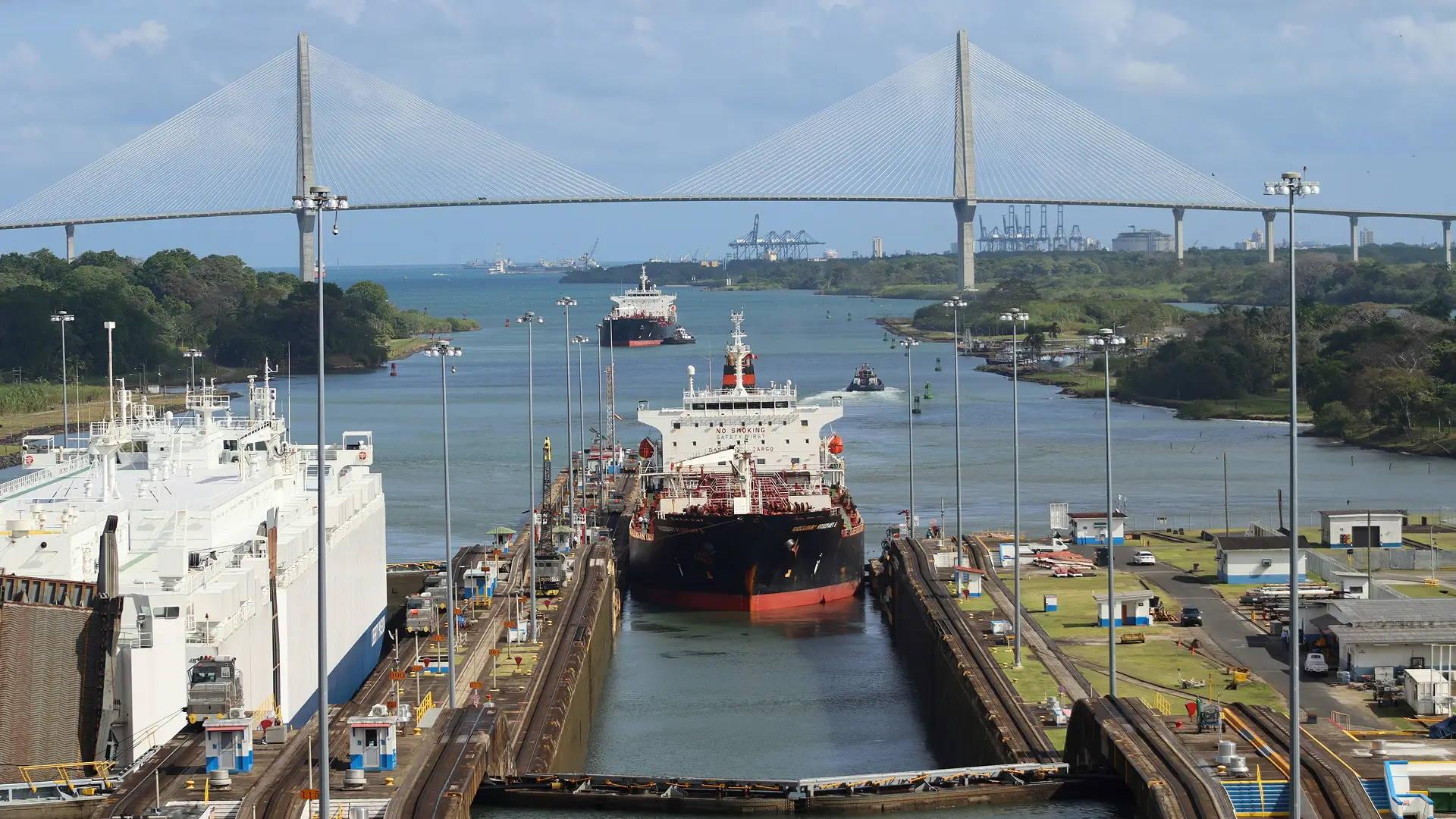
The canal's locks at Miraflores and Agua Clara, the transit tours through them, and the Panama Railway's hour-long run along the canal to Colón are the reason many people come; the Portobelo forts and the Caribbean coast beyond are the day's end. Tigo's 4G covers the canal zone and the railway; the coast road thins.
Bocas del Toro's islands by small plane or the bus and boat from the mainland, the San Blas islands' Guna villages by 4x4 and boat from the city, and the Pearl Islands by ferry are the water; Bocas town has 4G, the outer islands and the boats thin out, and the Guna islands have signal at the main villages and none beyond. Boquete's coffee and the Barú volcano are the highlands, with 4G in town and none on the summit.
Panama sits on three region plans: the LATAM plan, 15 countries including Costa Rica and Colombia, for the Central American route; the Caribbean plan, 25 islands and destinations, for a Caribbean loop; and the Global plan. The Costa Rica border at Paso Canoas is a bus and a walk, and the Colombia route is a sailing through San Blas or a flight, since the Darién has no road. A Panama-only plan stops at the border. Read whether a region plan covers every country in it for the detail.
Panama City is a banking and logistics hub, and a lot of visits are a week of meetings with video calls from a hotel; for a posting of weeks, an unlimited plan, with a daily high-speed allowance, covers the calls and the hotspot. Carnival in February or March fills Las Tablas, and the rainy season from May to December is the green season; the dry months from December to April are the busiest.
Your plan connects to Tigo on 4G LTE. There is no 5G on this plan. Coverage is strong in Panama City, Colón, David, and Boquete and holds along the Pan-American highway. Your phone picks the network automatically once the plan is on; there is nothing to choose by hand.
In the San Blas islands beyond the main villages, Bocas's outer islands, the Darién, and on the Barú summit, expect gaps on any network. Save what you need in town.
Most current iPhone, Samsung Galaxy, and Google Pixel phones support eSIM. Check yours before you add a plan; it takes a few seconds. On iPhone, go to Settings > General > About and look for an EID or Available SIM. On Android, go to Settings > Network & Internet > SIMs and look for an option to add an eSIM. On Samsung, dial *#06# and look for an EID.
Your phone also needs to be carrier-unlocked. If you're not sure, the same check shows you where to look.
Adding a Panama plan doesn't touch your regular SIM. Calls and texts on your usual number keep working exactly as before. The new plan handles data while you're there, and most phones run both at once without you doing anything else. Bank codes and two-factor texts still arrive on your home number, as long as that line stays switched on.
One plan. No roaming surprises. Live the moment you land.
In Central America the alternatives are your home carrier's roaming rate, often unavailable outside the capital; a local SIM at each border with a new number each time; or hostel Wi-Fi that is fine until you're on a bus. A Panama plan added at home beats all three: one price agreed before you fly, live the second you land, and a LATAM plan if the route crosses borders.
Real travelers rate KnowRoaming 4.5 out of 5 on Reviews.io. More than a decade in travel connectivity, more than 200 destinations, and support that doesn't clock off: WhatsApp and live chat, any time, any day.
Get the app on the App Store or Google Play.
Very easy to use and great coverage
Saleh
Jeddah, SA
I enjoyed using your service it really comes in handy
Fhatuwani
Excellent option when traveling, I fo suggest that yiu add the option to make a normal call to.
Anonymous
London, GB
