Why should you turn on eSIM notifications while traveling?
Last Updated: July 29, 2026
4.5

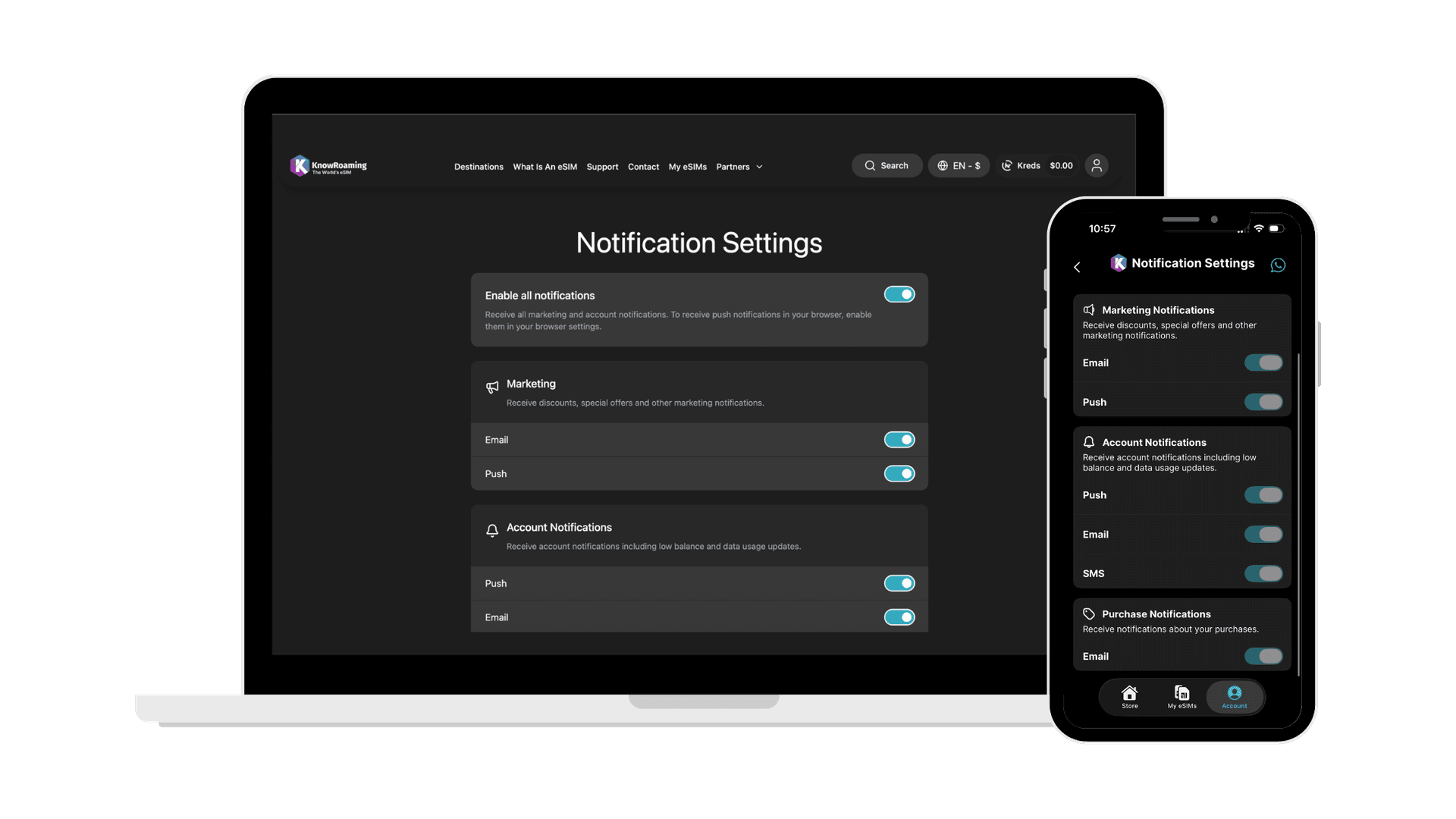
Your eSIM works quietly in the background, until it doesn't. Running low on data, an install that needs one more step, a top-up that may or may not have gone through, most of this only reaches you if notifications are turned on. Here's what they actually do, and why skipping them usually costs you more than it saves.
What do KnowRoaming push notifications actually tell you?
Some notifications keep your trip on track. Others are simply worth knowing about.
Keeps your trip running:
- Purchase confirmed: Confirms your purchase and includes everything you need to install the eSIM.
- 60% of your data used: The first indicator that your data is running low.
- 90% used: The most important alert. Act on this one before you lose connection.
- 100% used: Marks the point where you'll need to top up to stay connected.
- Top-up confirmed: Confirms your payment processed and data's been added to your plan.
- Auto top-up confirmed: Tells you when auto top-up has triggered a payment.
- Refund processed: Lets you know a refund is on its way.
Not marketing. Just the information a physical SIM used to give you, before there was no card to check and no bars to glance at.
Not essential, but useful:
- Limited-time deals: Time-sensitive discounts across plans and destinations.
- New features: Announcements for new additions like Kreds.
Turn any of these on or off, and choose how you get them (push, email, or SMS depending on the type), in your notification settings.
How to set up your KnowRoaming notifications
Manage your notification settings here →
Your notification settings are split into three categories, and each one controls a different part of what you hear from us.
Marketing: discounts, special offers, and other promotional notifications. Available by email and/or push.
Account Notifications: the practical stuff, including low balance and data usage updates. Available by push, email, or SMS, so you can choose whichever you're most likely to actually see.
Purchase Notifications: updates on your purchases.
You can turn on everything at once with Enable all notifications, or go category by category and pick exactly what you want and how you want to hear about it. If you're enabling push notifications, you'll also need to allow notifications in your browser settings for them to come through.
Choose how you want to hear from us →
5 reasons to turn on push notifications before your next trip
Notifications aren't just a nice-to-have. They're the difference between catching a problem early and finding out too late.
1. You'll know the moment your eSIM is active. Purchase confirmation arrives with your setup instructions and QR code, so there's no guessing whether it's ready to install.
2. You'll get warned before you're cut off. The 60% and 90% data alerts give you a clear timeline, so you can top up before your connection actually stops.
3. You'll know exactly when a top-up goes through. No refreshing the app to check, the confirmation tells you the payment processed and the data's added.
4. You won't be caught off guard by an automatic charge. Auto top-up confirmation means you always know when a payment's happened and why.
5. You'll catch a refund or a deal before it's gone. Refunds get confirmed the same way purchases do, and limited-time offers or new features like Kreds only reach you if the notification's turned on.
Everything here needs the KnowRoaming app installed to work, if you haven't already, it's on the App Store and Google Play.