Your Complete eSIM Travel FAQ: Every Question Answered (2026)
Last Updated: June 9, 2026
4.5

The KnowRoaming team gets variations of the same questions every week: Does eSIM work globally? Do I lose my phone number? Can I install it before I fly? After years of writing about travel connectivity and sitting alongside a support team that handles thousands of tickets a month, the KnowRoaming team has seen every eSIM question there is.
This is the guide that covers it all. Whether you're a first-time eSIM user or a frequent traveller comparing your options, this travel eSIM FAQ covers everything, including the questions most guides skip. For deeper dives on individual topics, head to our eSIM Knowledge Hub.
The eSIM Basics
What is an eSIM?
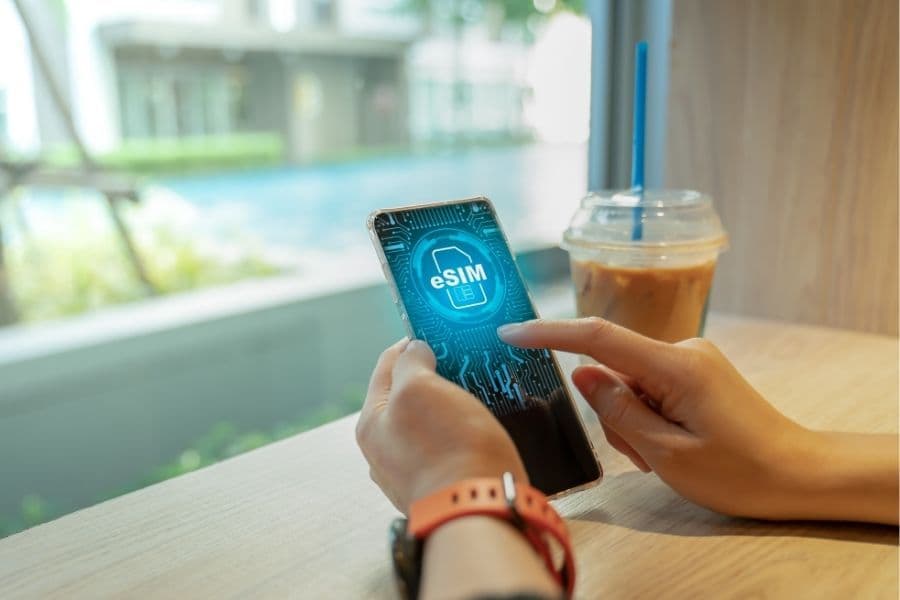
An eSIM (embedded SIM) is a digital SIM card built directly into your phone, tablet, or laptop. Instead of inserting a physical plastic card, you download a carrier profile from a provider like KnowRoaming and connect to a mobile network instantly.
No store queues. No card swaps. No scissors required.
The "e" stands for embedded, which is exactly what it is. The chip is soldered into your device's hardware at the factory. What changes is the software profile on top of it, which you can download and switch at any time.
How does an eSIM work?
When you purchase an eSIM plan, your provider gives you a QR code or activation code. You scan that code from your phone's SIM settings, the profile downloads over Wi-Fi in 30 to 90 seconds, and the eSIM is installed. On arrival at your destination, you manually activate it, set it as your data line, and turn on data roaming. That's it.
Your phone essentially holds a mini digital wallet of SIM profiles. You decide which one is active at any time.
What is the difference between an eSIM and a regular SIM card?
The core difference is format. A traditional SIM card is a physical card you insert into a tray. An eSIM is built into the device and loaded digitally.
For travellers, the practical differences are significant. With a physical SIM you need to source one at a shop or airport kiosk, often before you've cleared customs. With an eSIM, you buy and install it from your sofa before you travel. No roaming fees, no queueing, no risk of losing the card between trips.
eSIMs are also more secure. Because they can't be physically removed, they're harder to steal or clone. And because you can run an eSIM alongside your regular SIM simultaneously, you don't have to give up your home number to get local data.
For a full side-by-side breakdown, see the eSIM vs SIM card guide.
Device Compatibility
Which phones are compatible with eSIM?
Most flagship smartphones released from 2018 onwards support eSIM. Here's a quick reference:
Apple: iPhone XS and newer (all subsequent iPhone models are eSIM compatible)
Samsung: Galaxy S20 and newer, Galaxy Note 20 and newer, Galaxy Z Fold and Z Flip series, Galaxy A54 and newer A-series models (region dependent)
Google: Pixel 3 and newer
Xiaomi: Xiaomi 12T Pro, 13, 13 Pro, 14 series, 15 series
OnePlus: OnePlus 11, 12, 13, Open
Motorola: Razr, Edge, and G-series from 2022 onwards (region dependent)
Nothing: Phone (2), Phone (2a), Phone (3)
One important caveat: eSIM support varies by region for the same phone model. Some Samsung Galaxy S23 and S24 devices sold in mainland China, Hong Kong, and certain other markets ship without eSIM hardware, even though the identical model sold in Europe or North America has it.
Check the full KnowRoaming eSIM compatible phones list here.
How do I check if my phone supports eSIM?
There are three ways to check, and one of them takes under 10 seconds.
Method 1 (fastest): Dial *#06# on your phone's keypad. If an EID number appears, your phone supports eSIM. No EID means no eSIM hardware.
Method 2: Go to your phone's Settings and look for your SIM or mobile network options. If you see "Add eSIM", "Add Mobile Plan", or "Download SIM", you're eSIM ready.
Method 3: Use the KnowRoaming compatibility checker. It reads your device in seconds and confirms compatibility instantly.
Installing and Activating Your eSIM
Can I install my eSIM before I travel?
Yes, and KnowRoaming strongly recommends it. Install your eSIM on stable home Wi-Fi the day before you leave, then leave it deactivated until you land. This prevents your phone from trying to register the eSIM at home, which causes an "activation failed" error because the plan isn't valid outside its covered destinations.
Think of it as loading your boarding pass the night before. You're ready to go, you just haven't stepped through the gate yet.
How do I activate my eSIM?
KnowRoaming gives you three installation methods. Use whichever matches what you received at checkout.
Option 1: Via the KnowRoaming app (easiest) Download the KnowRoaming app, sign in with your checkout email, open your order, and tap Install eSIM. The profile installs automatically. Takes under a minute.
Option 2: QR code Go to Settings > Network & Internet > SIMs (or Settings > Connections > SIM Manager on Samsung). Tap Add eSIM, scan the QR code from your order confirmation email, and wait 30 to 90 seconds for the profile to install.
Option 3: Manual (SM-DP+ address) If scanning fails, select "Enter details manually" in your eSIM settings. Paste the SM-DP+ address and activation code from your KnowRoaming confirmation email.
Once you arrive at your destination, activate manually:
On Samsung: Settings > Connections > SIM Manager > toggle the KR eSIM on > set Mobile Data to eSIM > Settings > Connections > Mobile Networks > Data Roaming on.
On iPhone: Settings > Mobile Service > select your KnowRoaming plan > turn it on > enable Data Roaming.
On Google Pixel: Settings > Network & Internet > SIMs > tap your KR eSIM > toggle Use SIM on > set Mobile data to eSIM > turn Roaming on.
If you don't get a signal within a minute, put your phone in airplane mode for 30 seconds, then turn it off. This forces a fresh network scan and resolves most connection delays on arrival.
For the full device-by-device walkthrough, see the KnowRoaming guide on how to set up and use an eSIM for international travel.
What is a QR code for an eSIM?
It is a scannable code that contains your eSIM profile credentials. When you scan it, your phone downloads the carrier profile and installs it automatically. The QR code is single-use. Once scanned, it cannot be scanned again. If you lose it or accidentally scan it on the wrong device, contact KnowRoaming support for a replacement.
Phone Numbers, Calls, and Texts
Do I keep my phone number when I use an eSIM?
Yes, this is one of the biggest advantages of eSIM for travellers. Your KnowRoaming eSIM is a data-only plan. You keep your regular SIM and phone number active at all times. You receive calls, texts, and WhatsApp messages on your main number while the KnowRoaming eSIM handles your data.
No number change. No missed calls. No awkward "I changed my number" messages to your contacts.
Can I make calls with a travel eSIM?
KnowRoaming travel eSIMs are data plans, not voice line plans. You won't get a separate phone number attached to the eSIM itself. But you have several options for calls:
WhatsApp, FaceTime, Signal, Zoom: All work over your KnowRoaming data. Most travellers use these exclusively.
WiFi Calling: If your home carrier supports WiFi Calling internationally, you can use your regular number to call and receive calls over your KnowRoaming eSIM data connection, exactly as if you were on Wi-Fi at home.
Your regular SIM's roaming: Keep your main SIM active for calls in an emergency. Just make sure you have it set to calls only, not data, to avoid roaming charges from your home carrier.
The most common setup: KnowRoaming eSIM for data, regular SIM for calls, WhatsApp or FaceTime for most conversations.
Can I use two eSIMs at the same time?
Most modern smartphones support dual-SIM functionality, meaning you can run your regular SIM (or eSIM) for calls alongside a KnowRoaming eSIM for data simultaneously. Flagship Samsung, Apple, and Google Pixel devices from 2022 onwards typically support two active eSIM profiles at once.
To avoid bill shock, set your mobile data to the KnowRoaming eSIM only, and disable data roaming on your home SIM. Your home SIM stays on for calls; KnowRoaming handles all data. That combination is what most KnowRoaming customers use.
Data, Plans, and Top-Ups
How much data do I need for travel?
This is one of the most common questions the KnowRoaming support team receives. Here's a simple breakdown:
1 to 5 GB is enough for light use: WhatsApp messaging, Google Maps navigation, checking emails, and light browsing on a trip of a few days.
10 to 20 GB is the sweet spot for most travellers. This covers daily Maps use, scrolling social media, video calls, and background app updates without stress.
Unlimited is the right choice if you're working remotely, uploading content, streaming video, or travelling for longer than two weeks.
A good rule of thumb: if you use 3 to 5 GB per month at home, double it for travel. You'll use Maps constantly, you'll be video-calling family, and your phone will be doing more work than usual.
What does an unlimited data eSIM plan mean?
An unlimited eSIM plan gives you data without a fixed cap. You can stream, browse, and video call without worrying about running out.
Most unlimited eSIM plans include a high-speed data threshold, after which speeds may be reduced to prevent network congestion. This is standard across the industry and doesn't affect basic use like Maps, messaging, and browsing. For heavy users, streaming in HD or uploading large files, check the plan's fair use threshold before you buy.
Browse KnowRoaming's global unlimited eSIM plans.
How do I top up my eSIM if I run out of data?
Log into your KnowRoaming account via the app or website, select your eSIM profile, and choose a new plan. Payment takes seconds, and your new data activates within minutes. You can top up from anywhere in the world, as long as you have a connection, even a few bars of signal.
If you're in a low-connectivity area, connect to any available Wi-Fi (hotel, café, airport) to complete the top-up, then switch back to your KnowRoaming eSIM once the new data is added.
Global Coverage and the Best eSIM for Travel
Is there an eSIM that works globally?
Yes. KnowRoaming's global eSIM plans cover 200+ countries and regions, connecting to over 800 networks worldwide. A single plan covers multi-destination trips without needing a different SIM for each country.
If your itinerary takes you from London to Singapore to Cape Town in two weeks, you don't swap anything. The same eSIM works across all three.
For regional trips (Europe only, Southeast Asia only, etc.), KnowRoaming also offers regional plans that often deliver better value per GB than a global plan.
What is the best eSIM for international travel?
The best eSIM for international travel balances coverage, speed, price, and reliability. Based on KnowRoaming's years of supporting travellers across 200+ destinations, here is what actually matters when choosing:
Coverage in your specific destinations. Global claims don't mean much if your main destination isn't on the supported list. Always verify your countries are included before buying.
Data speed, not just data quantity. A provider offering 10 GB on an LTE network beats a cheaper plan running on slower legacy networks in most destinations.
Reliability of activation. Based on KnowRoaming's analysis of 2,000 support tickets, the most common eSIM problem isn't coverage, it's activation errors from unclear instructions, QR code issues, or data roaming left off. A provider with clear setup guides and 24/7 support matters more than most people realise.
Transparent pricing. No mid-trip surprises. KnowRoaming shows you exactly what you're getting before you buy.
KnowRoaming offers global and regional plans across 200+ destinations, fast installation via QR code or app, no roaming fees, and 24/7 human support. See all international eSIM plans.
Troubleshooting
My eSIM is installed but I have no signal. What's wrong?
From KnowRoaming's 2,000-ticket analysis, data roaming being turned off is the single biggest cause of eSIM connection failures, accounting for 26% of all Android installation problems. The eSIM is installed and active, but roaming is disabled, so the phone can't connect to a foreign network.
The fix is simple: go to your SIM settings, find your KnowRoaming eSIM, and turn Data Roaming on. Restart your phone if the signal doesn't appear within 30 seconds.
If roaming is already on, check that your mobile data line is actually set to the eSIM and not your old physical SIM. On most Android phones this is under Settings > SIMs > Mobile data. On iPhone, go to Settings > Mobile Service and confirm your KnowRoaming plan is set as the data line.
My eSIM shows no service. Should I check my APN?
If your eSIM is active, data roaming is on, and you still can't connect, the APN (Access Point Name) may need to be set manually. KnowRoaming uses the APN globaldata.
To set it: go to Settings > Mobile Networks > Access Point Names, check if globaldata exists and is selected. If not, add it manually: set the Name to esim and the APN to globaldata (all lowercase, no spaces).
This resolves around 8% of connection issues the KnowRoaming support team sees.
Can I reinstall my eSIM if it disappears after a software update?
Yes. Major phone updates occasionally wipe eSIM profiles. If this happens, reinstall using your original QR code if it hasn't already been used. If the code has expired or been used, contact KnowRoaming support for a replacement. If your phone manufacturer supports eSIM backup (Samsung Smart Switch and Google Pixel's SIM tools both do on recent models), set that up before your next major update.
Safety, Security, and Environment
Is eSIM safer than public Wi-Fi?
Significantly. Public Wi-Fi networks are a common target for data interception, especially in airports, hotels, and cafes. An eSIM connects you directly to a licensed mobile network, using the same encryption as your home SIM. No shared network, no man-in-the-middle risk.
For business travellers handling sensitive data, moving from public Wi-Fi to eSIM mobile data is one of the simplest security upgrades you can make on the road.
Is eSIM better for the environment?
Yes. eSIMs eliminate the need for plastic SIM cards, packaging, and distribution logistics. No physical card means no card to manufacture, ship, or dispose of. For frequent travellers who might go through several local SIMs per year, the cumulative reduction is meaningful.

Why KnowRoaming for International Travel
KnowRoaming has been supporting international travellers since 2013. What sets KnowRoaming apart isn't a single feature, it's the combination:
200+ countries and regions covered by a single global plan, with regional alternatives for more focused trips.
Three installation options so you can install the way that works for your device, app, QR code, or manual entry.
Manual activation that puts you in control. Your eSIM doesn't burn data until you're ready to use it.
24/7 human support via WhatsApp and contact form. Not a chatbot. Not a ticketing queue that takes 48 hours. Real people, around the clock, whether you're stuck at an airport in Seoul or a hotel in Lagos.
No surprise fees. You see exactly what you're buying before you confirm.
Ready to travel with confidence? Explore KnowRoaming's international eSIM plans.
Kreds and the KnowRoaming Referral Program
What are KnowRoaming Kreds?
Kreds are KnowRoaming's cashback program, built directly into every account. Every time a customer buys an eSIM or tops up a data plan, they earn Kreds automatically. No sign-up, no loyalty card, no separate app. The cashback goes straight into the KnowRoaming Wallet and sits there until it's needed.
Kreds are real cashback credits, not points. They reduce the cost of the next purchase directly, like applying cash at checkout.
Manage your Kreds balance at KnowRoaming.com/kreds.
How much cashback do you earn with Kreds?
Between 3% and 15% cashback, depending on the plan purchased. The exact Kreds amount is displayed on every plan before checkout, so customers always know what they're earning before they buy.
The balance builds with every trip. For frequent travellers buying regional or global plans several times a year, the Wallet balance grows consistently and can take a meaningful amount off future purchases.
How do you use Kreds?
At checkout, customers apply their Kreds balance to reduce the total cost of any eSIM or top-up. There's no conversion process and no complicated redemption steps. One notable advantage: Kreds stack with promo codes. Most cashback programs require choosing between a discount and a reward. With Kreds, both can be applied to the same purchase.
What is the KnowRoaming Refer a Friend program?
KnowRoaming's Refer a Friend program lets customers earn $4 in Kreds for every friend they successfully refer. The referred friend earns $4 in Kreds too. Both parties benefit, and there's no cap on how many referrals can be made.
Here's how it works:
- Find a unique referral code inside the KnowRoaming app under Refer a Friend, or at KnowRoaming.com/kreds.
- Share the code with a friend.
- The friend creates a KnowRoaming account using the referral code.
- Both the referrer and the friend each complete a qualifying real-cash purchase of $0.50 or more.
- $4 in Kreds lands in both accounts, ready to use on the next plan.
If a qualifying purchase has already been made, the referring customer is already eligible on their side. The friend just needs to complete one purchase of $0.50 or more to unlock the reward for both.
Full terms and conditions are available at KnowRoaming.com/terms-conditions.
Is there a limit on how many friends can be referred?
No. Every successful referral earns another $4 in Kreds, as long as both parties have made a qualifying purchase of $0.50 or more. For customers travelling in groups, sending a referral code before the trip means every person who signs up and buys a plan adds $4 to the referrer's Wallet.
Where do you find your KnowRoaming referral code?
The referral code is available in two places: inside the KnowRoaming app under Refer a Friend, or in the account dashboard at KnowRoaming.com/kreds. It takes about 10 seconds to find and copy.
Can Kreds be used on any plan?
Yes. Kreds apply to any KnowRoaming data plan or top-up across 200+ destinations, including global plans, regional plans, and country-specific options. They can be stacked across multiple trips and combined with promotional offers at checkout.
Are Kreds the same as points?
No. Kreds are real cashback credits with a fixed dollar value. $1 in Kreds equals $1 off a future purchase. There's no points-to-dollar conversion and no expiry on the balance. What's in the Wallet is what gets applied at checkout.
Quick-Reference FAQ
What is an eSIM? An eSIM is a digital SIM card built into your device. Instead of inserting a physical card, you download a carrier profile and connect to a mobile network instantly, no card, no shop, no queuing.
How do I activate a travel eSIM? Buy your plan, receive a QR code, scan it under your SIM settings on Wi-Fi, and leave the eSIM deactivated until you land. On arrival, toggle it on in your SIM Manager, set it as your data line, and turn on data roaming.
Will I lose my phone number if I use an eSIM? No. KnowRoaming eSIMs are data-only plans. Your regular SIM and phone number stay active. You run both simultaneously, your home SIM for calls, KnowRoaming for data.
Which phones are compatible with eSIM? iPhone XS and newer, Samsung Galaxy S20 and newer, Google Pixel 3 and newer, and most flagship Android devices from 2019 onwards. Dial *#06# to check for an EID number, which confirms eSIM support.
How much data do I need for a one-week trip? 10 GB covers most travellers for a week of Maps, messaging, social media, and occasional video calls. Light users can manage with 5 GB; heavy users or remote workers should consider unlimited.
Is eSIM safe to use abroad? Yes. eSIMs connect to licensed mobile networks using carrier-grade encryption, which is significantly more secure than hotel or airport public Wi-Fi.
Can I top up my eSIM while travelling? Yes. Log into your KnowRoaming account via the app or website, select your plan, and buy more data. It activates within minutes from anywhere in the world.
What is the best eSIM for international travel? The best eSIM for international travel covers your specific destinations, delivers reliable LTE speeds, offers clear pricing with no hidden fees, and has real support when something goes wrong. KnowRoaming covers 200+ countries with 24/7 human support and transparent pricing across all plans.
About the Author
Caitlin Clark is Senior SEO Copywriter at KnowRoaming, specialising in travel connectivity and eSIM technology. She has written about international travel eSIMs since 2023, tested KnowRoaming profiles across multiple devices and destinations, and works alongside the KnowRoaming support team whose real-world ticket data informs the guidance in this article.
Reviewed by the KnowRoaming Connectivity Support Team, drawing on 2,000+ eSIM installation cases and 12+ years of international roaming experience.
